Visual Product Design
Motion Design
Content Design
Designing a delightful onboarding experience to improve user retention
Reducing cognitive load for new users, guiding them through complex concepts with clearer structure, language, and visual cues.
Role
UX Designer
Team
UX Designer (Me)
1 Engineer
1 Product manager
Timeline
4 Weeks (Jan - Feb 2024)
Tools
Figma
Figjam
Background
In Q1 2024, I worked on an initiative to improve low user retention amongst first time users.
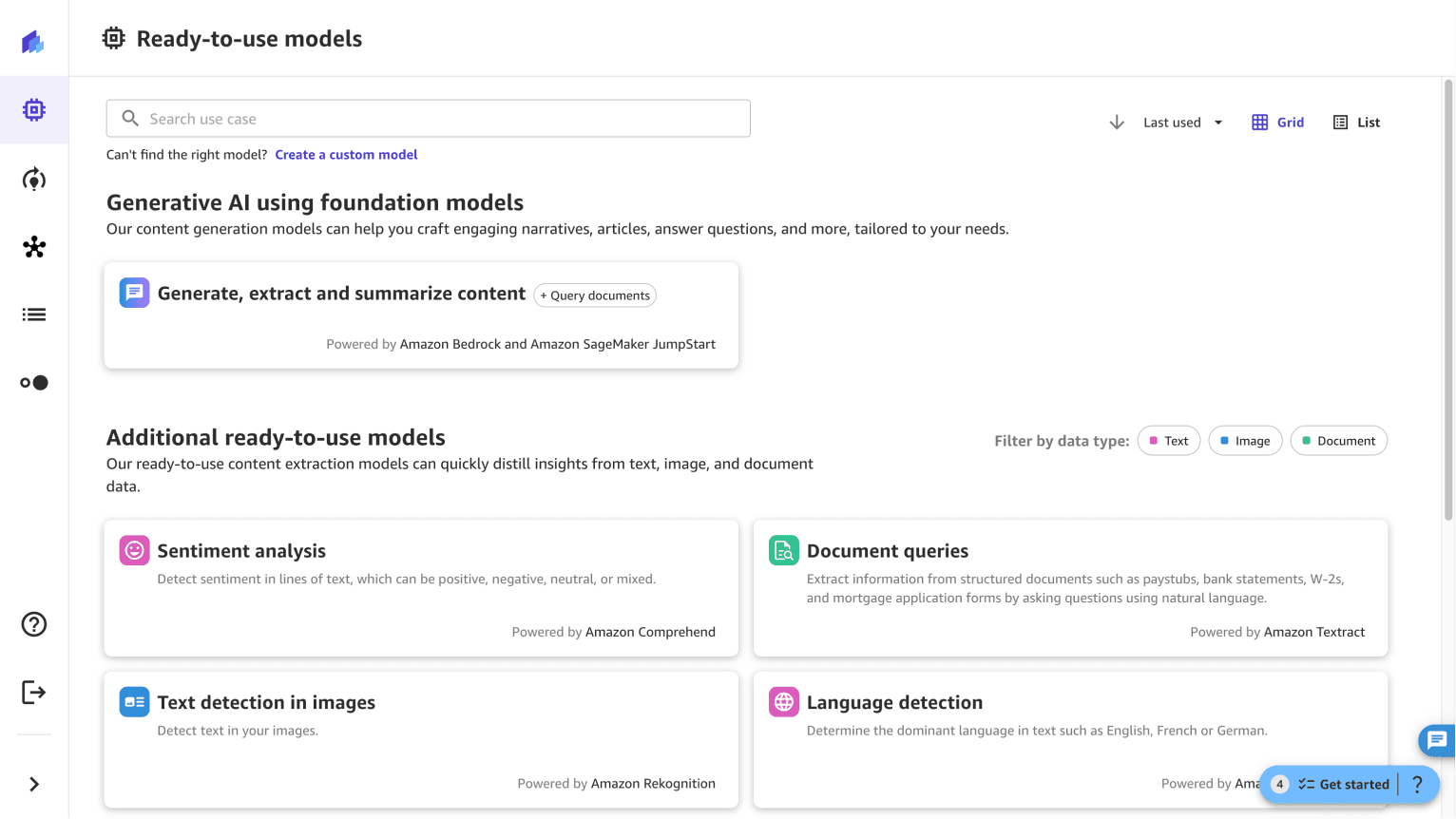
While Canvas has generated significant interest and a strong funnel of new customers, however, it has struggled with user retention.
My Role

Problem
Canvas was struggling with low key milestone achievement rate, where many users were dropping off early in the experience.
Users struggled to quickly see the value or face an error and dropped off. Only ~34% of active users reach key product milestones and nearly ~45% of the users dropped off by the 10th click.
20% of users dropped off during launch.
25% of users dropped off by the 10th click.
Solution
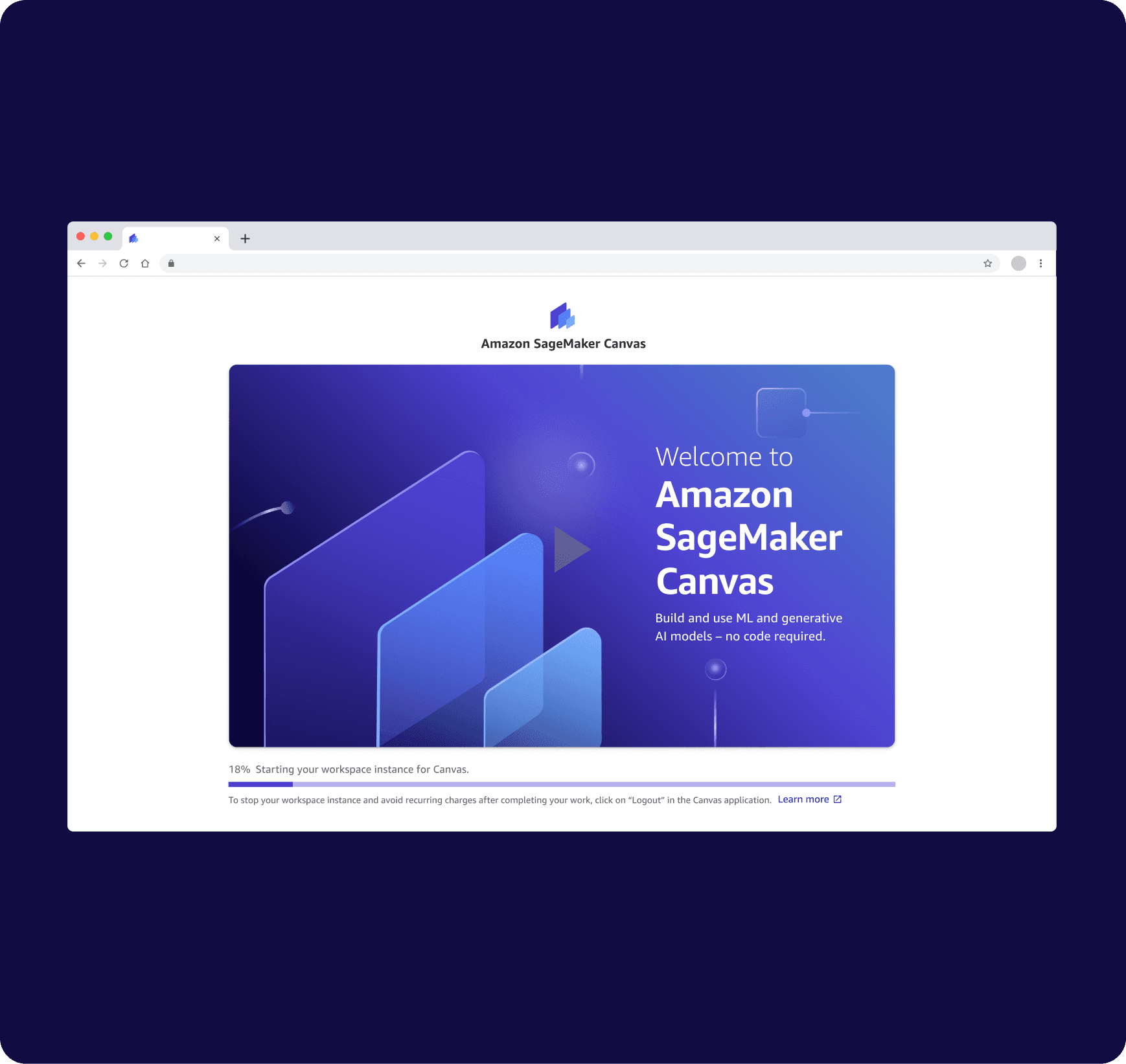
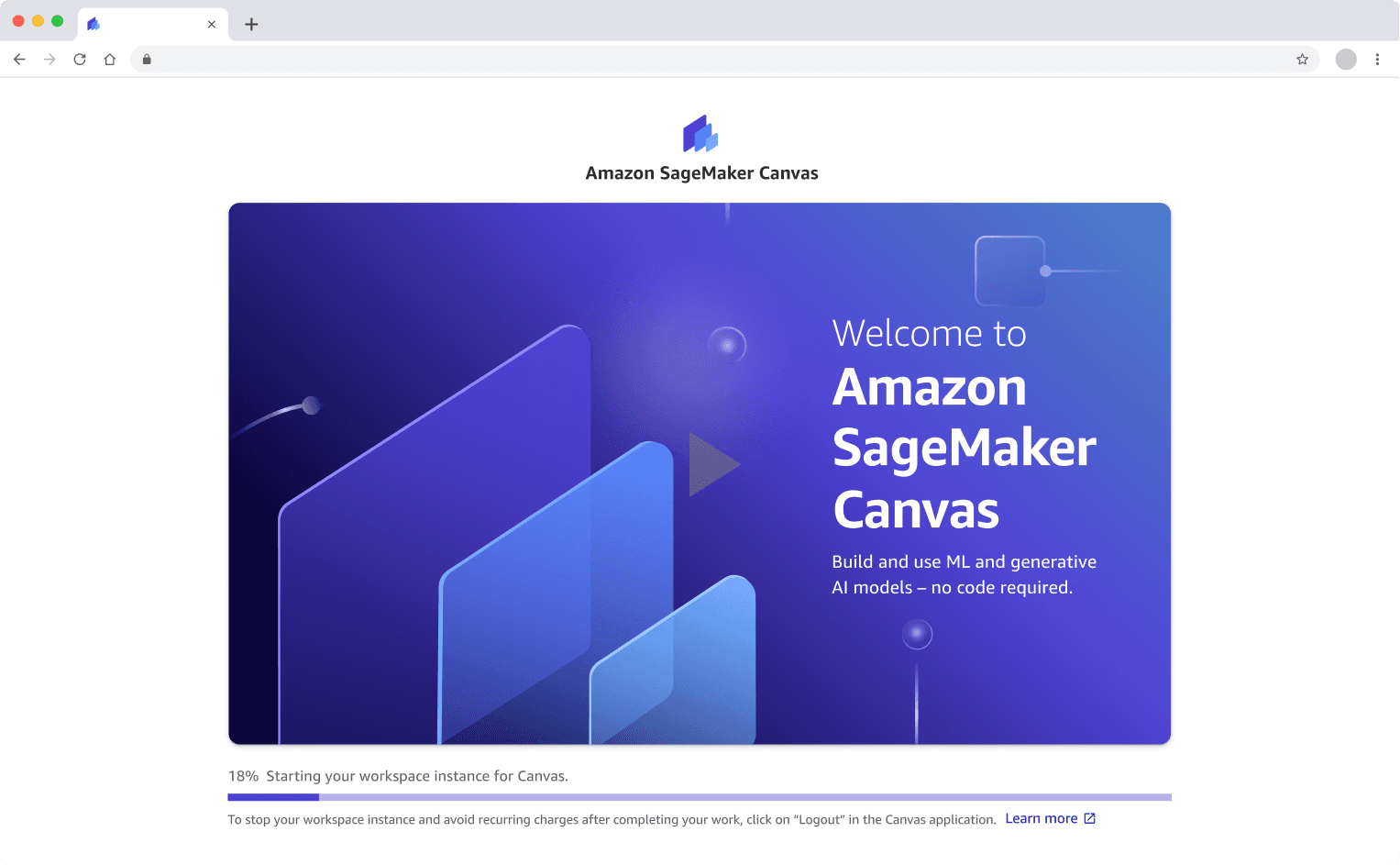
I designed an onboarding video for first time users landing in the product so that they can understand the value of the product and drive them to action.
The goal is to support the user to accomplish their tasks easily while giving them control over every step of the process to--- turning a once complex, timely process into an approachable, guided experience.
1
Entice by showcasing product capabilities.
Showcased the product's core capabilities in a video during loading to demonstrate its value and entice exploration.
2
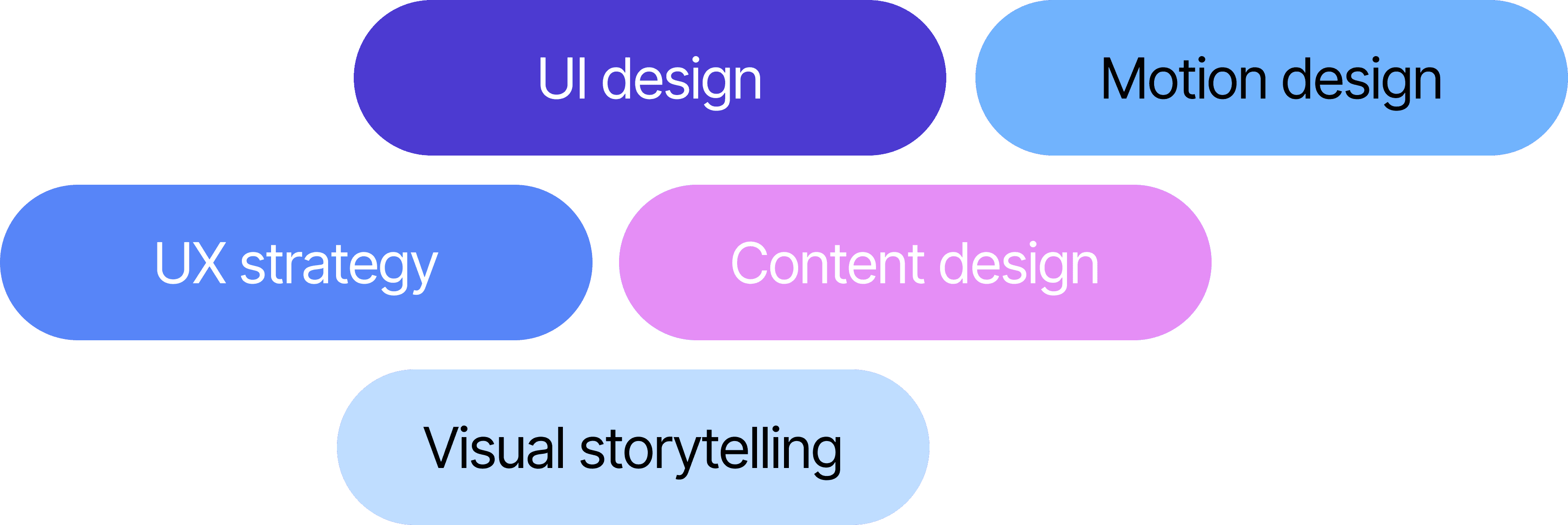
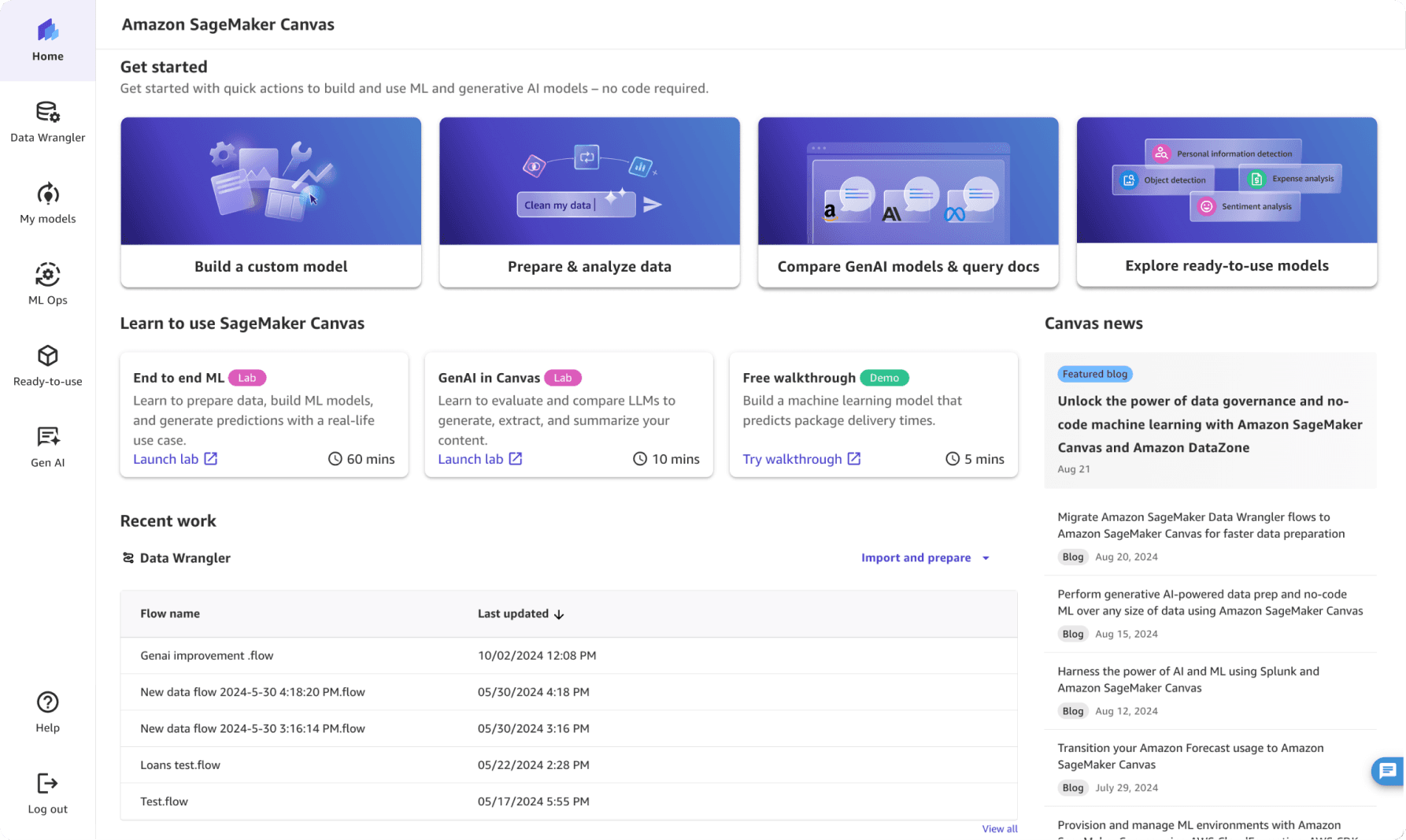
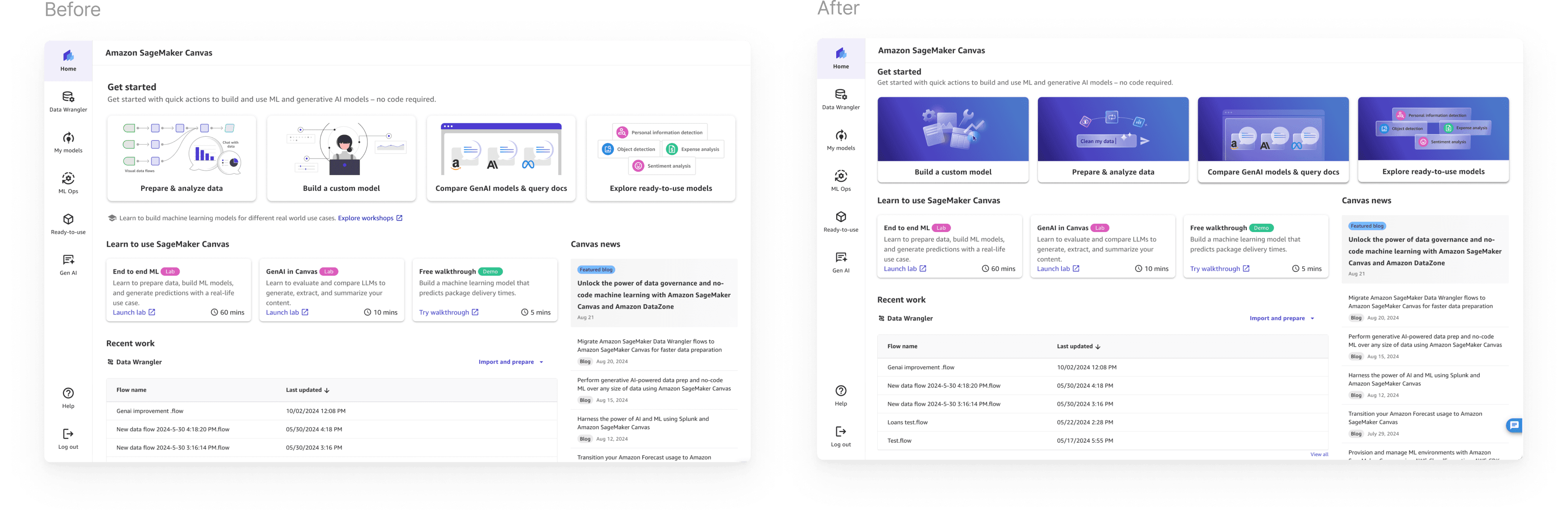
Get started cards for smooth engagement
Designed get started card graphics to guide smoothly to hand-on user after viewing the introductory video.
Impact
Designed a strategy to increase user retention and hook users upon landing.
The design was strategically developed to achieve a 25% increase in user retention among first-time users, which was the key success metric for the initiative. I established a new visual identity and motion design process that will ensure brand consistency and accelerate future design work as the product scales.
User survey
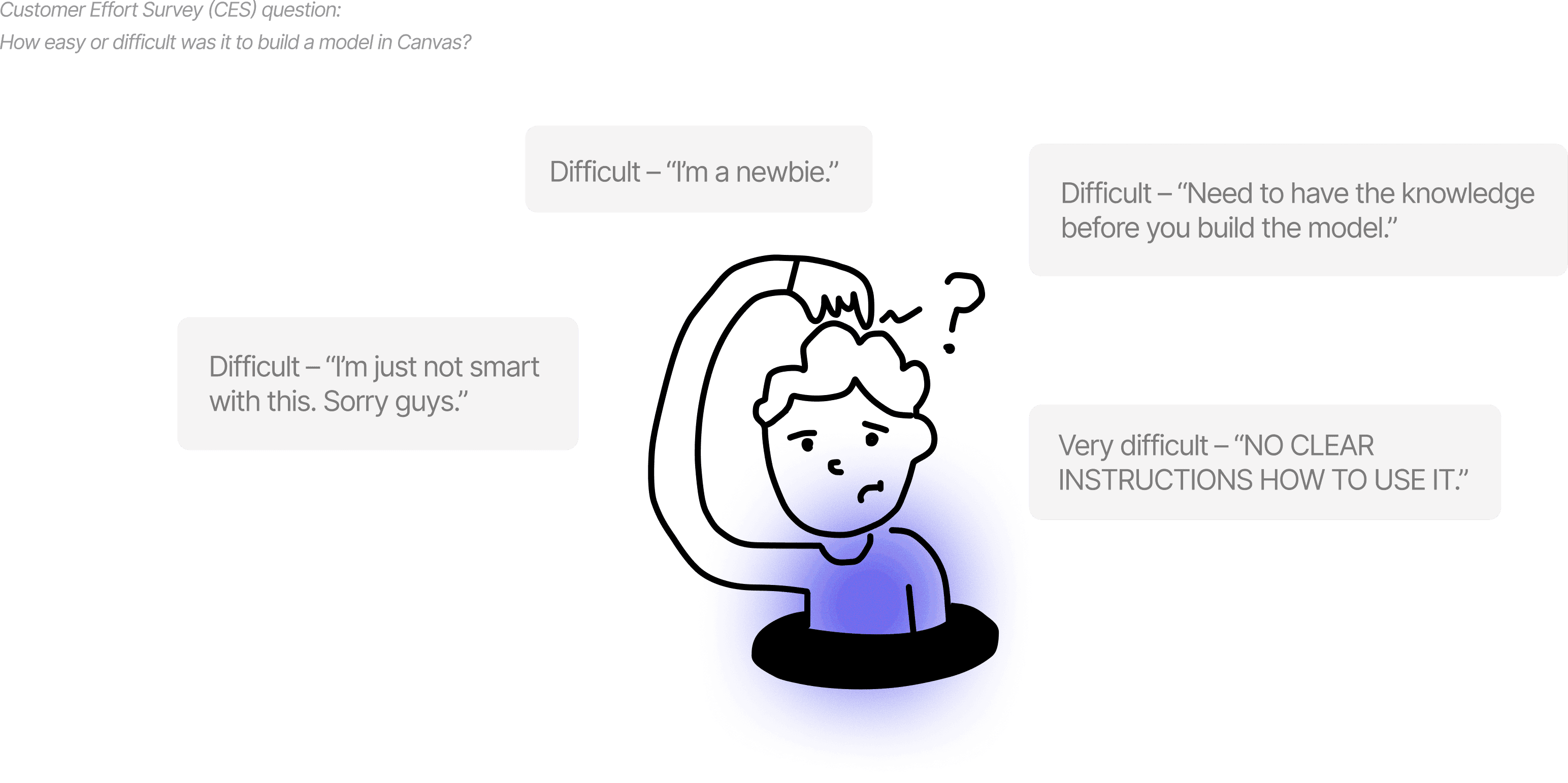
Users struggled to know how to get started
When users were asked in a customer effort survey about how easy or difficult it was to build a model in Canvas, users expressed difficulty due to lack of guidance.
Goal
Help 1st time users get started and achieve the product’s key milestones.
Aka increase user activation & reduce first few click drop off.

Sucess metric
Increase first time user’s key milestone achievement rate by 25%.
From 25.8% in Q4 2023 to 50% in Q2 2024 (2x).
Workshop with stakeholders
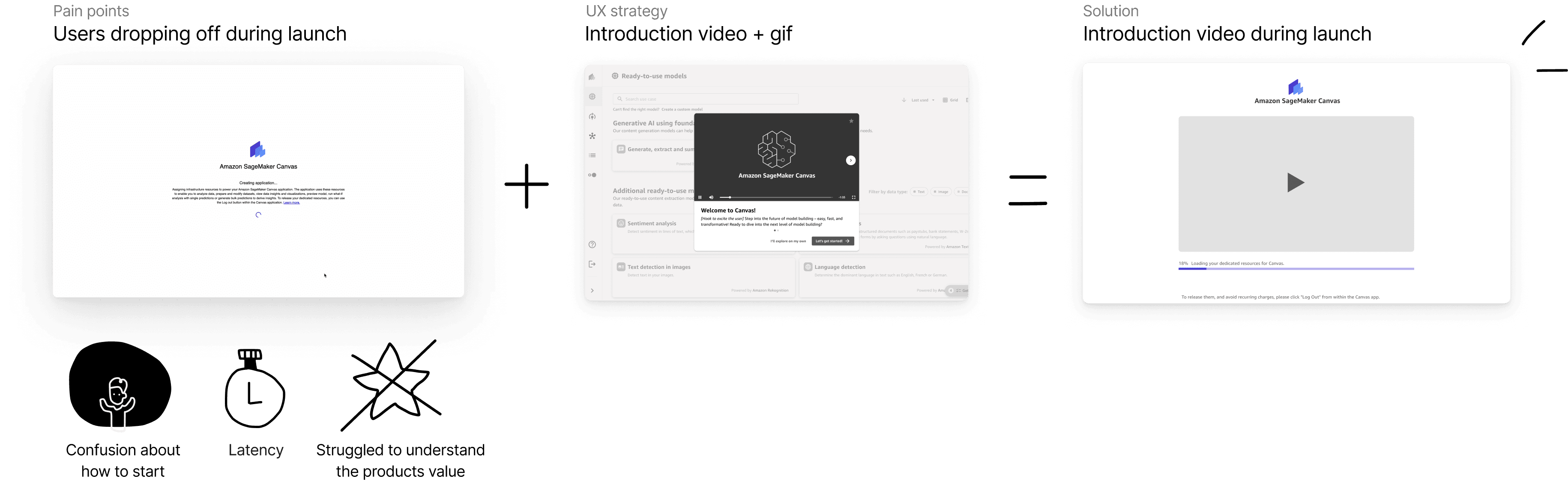
Users were confused about how to start and struggled to understand the product's value.
We uncovered few key theme of pain points in the current getting started experience. After discussion with the PM, we evaluated the pain points to focus on for phase 1
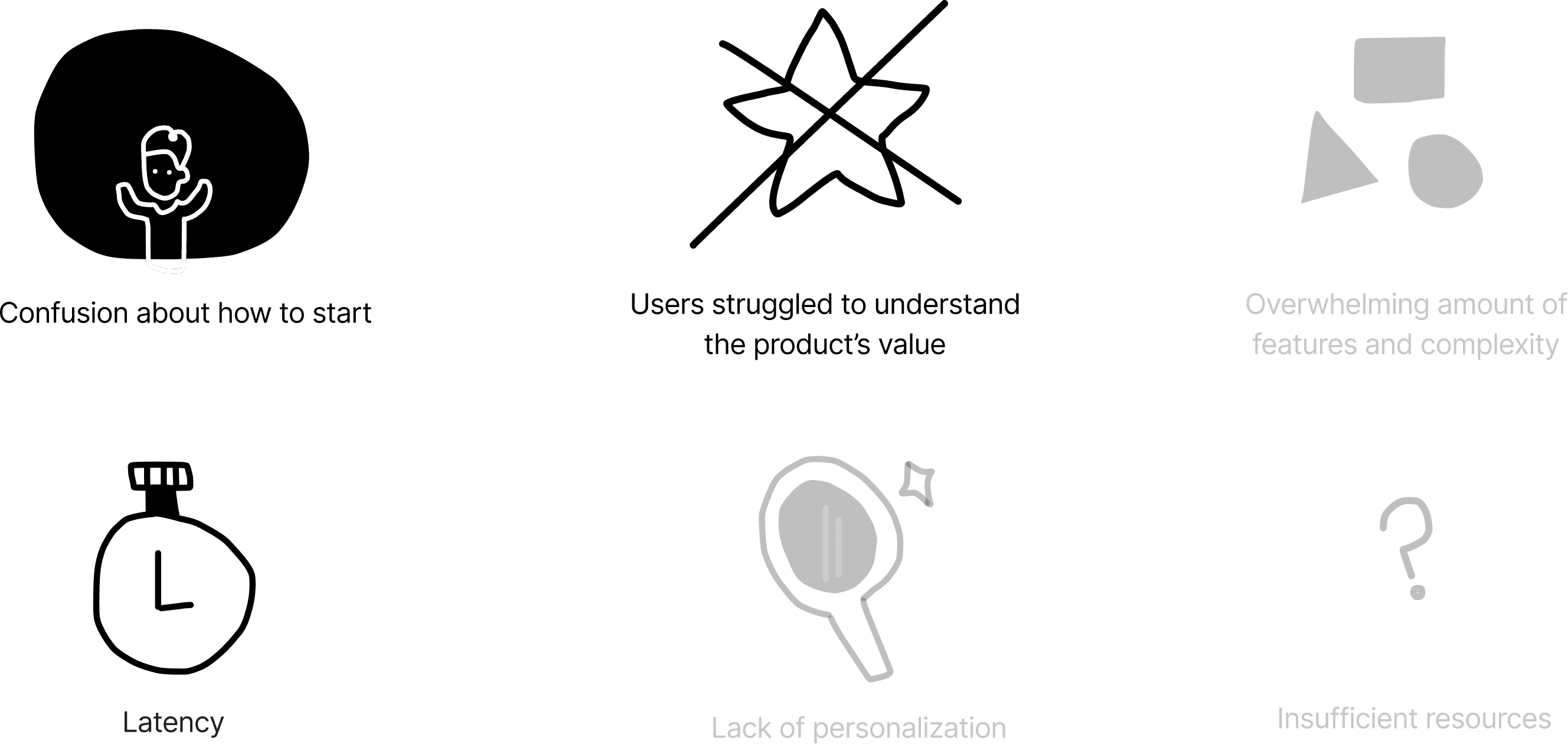
Phase 2 is grayed out to focus on phase 1.
Key user
Our users have limited technical background in data science and wants to easily understand how to use ML tools on her own, without reliance on experts.
We uncovered few key theme of pain points in the current getting started experience. After discussion with the PM, we evaluated the pain points to focus on for phase 1

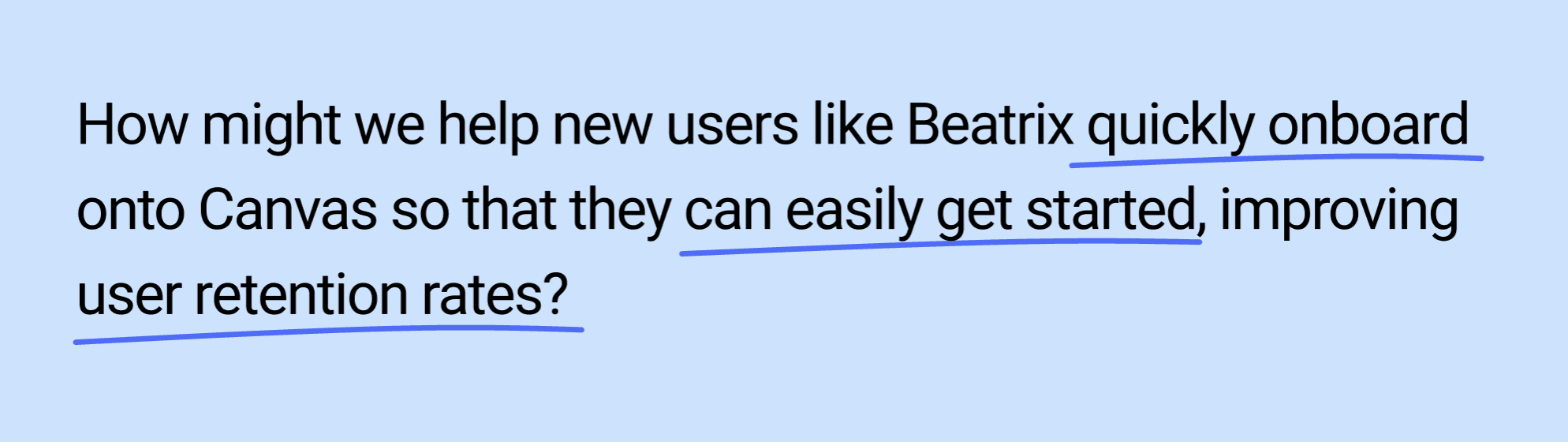
How might we?
Ideation
If we were able to create the ultimate onboarding experience, what features and tools would ensure a seamless and intuitive introduction to the platform?
My team and I ideated all sorts of different ideas, that would help new users easily know how to get started, stay engaged, thus maximizing their potential with the product. Additionally, I researched into different effective onboarding techniques from initial activation to continuous onboarding.
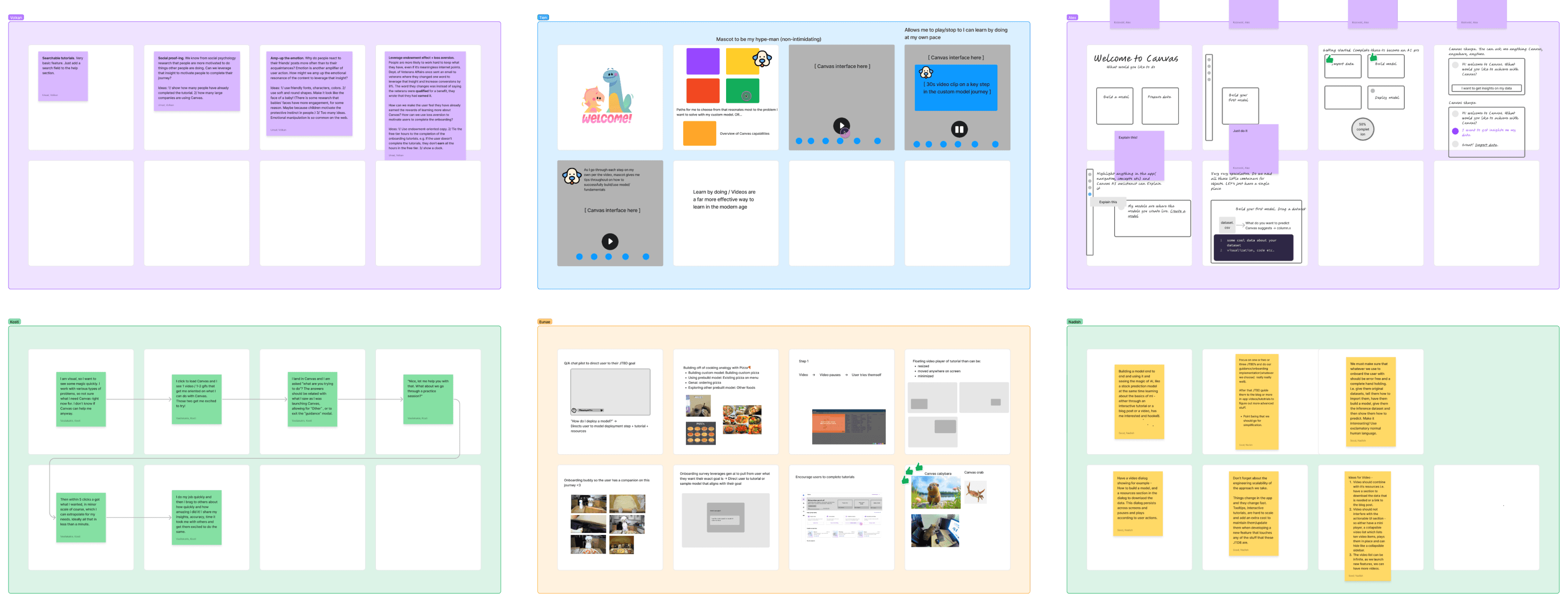
Initial concepts
After exploring concepts, we landed on showing an introduction video for first time users to help them orient themselves in the product.
My team and I ideated all sorts of different ideas, that would help new users easily know how to get started, stay engaged, thus maximizing their potential with the product. Additionally, I researched into different effective onboarding techniques from initial activation to continuous onboarding.
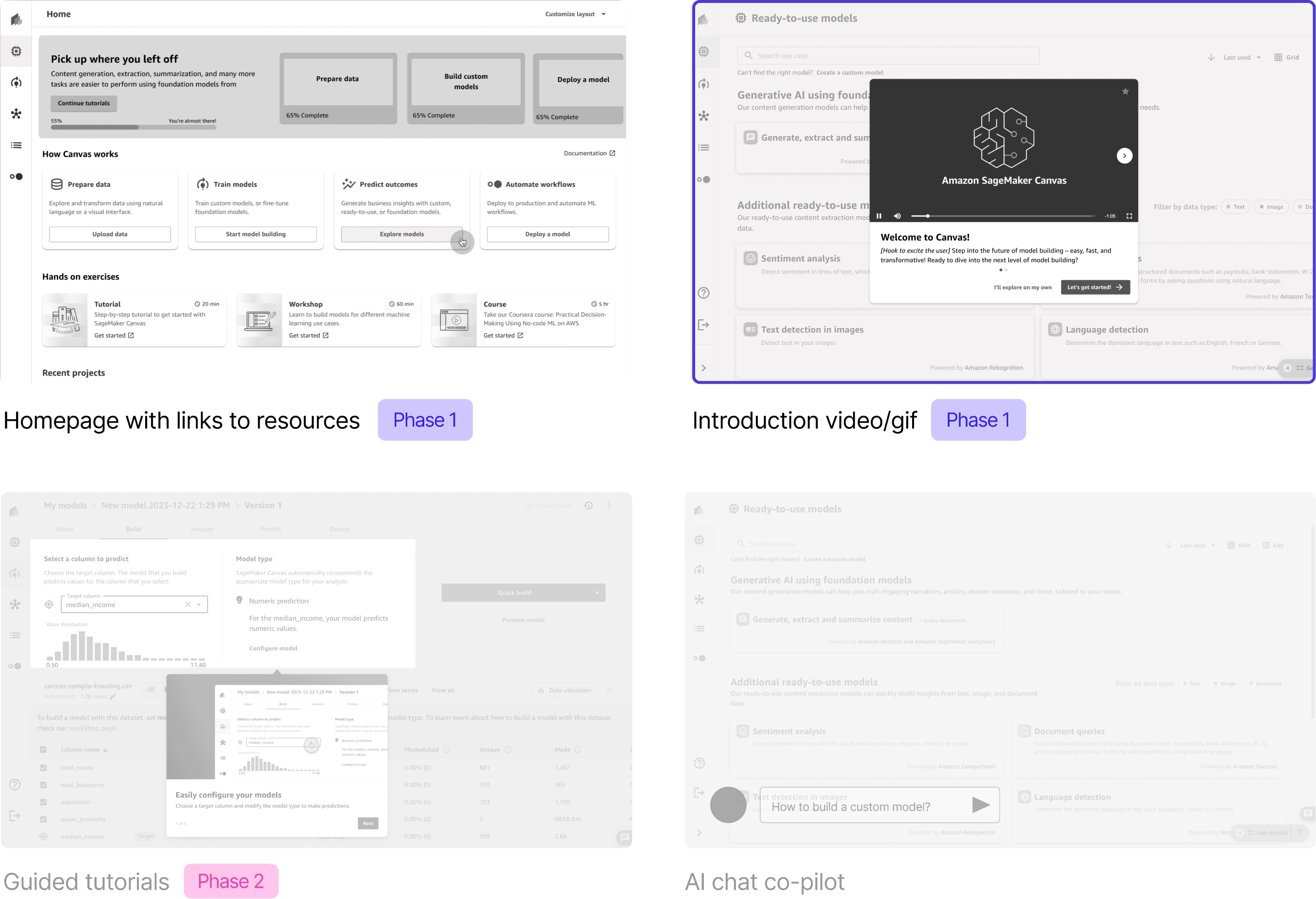
Concept refinement
I refined the concept to showcase an introduction video during the loading time at app launch.
Revisiting users dropping off during launch due to latency, confusion about how to start, and struggle to understand the products' value, I landed on the idea to incorporate the introduction video into the loading screen. Because minimizing the app load time was a engineering constraint, I leveraged that waiting time to show an introduction video.
Guiding principles
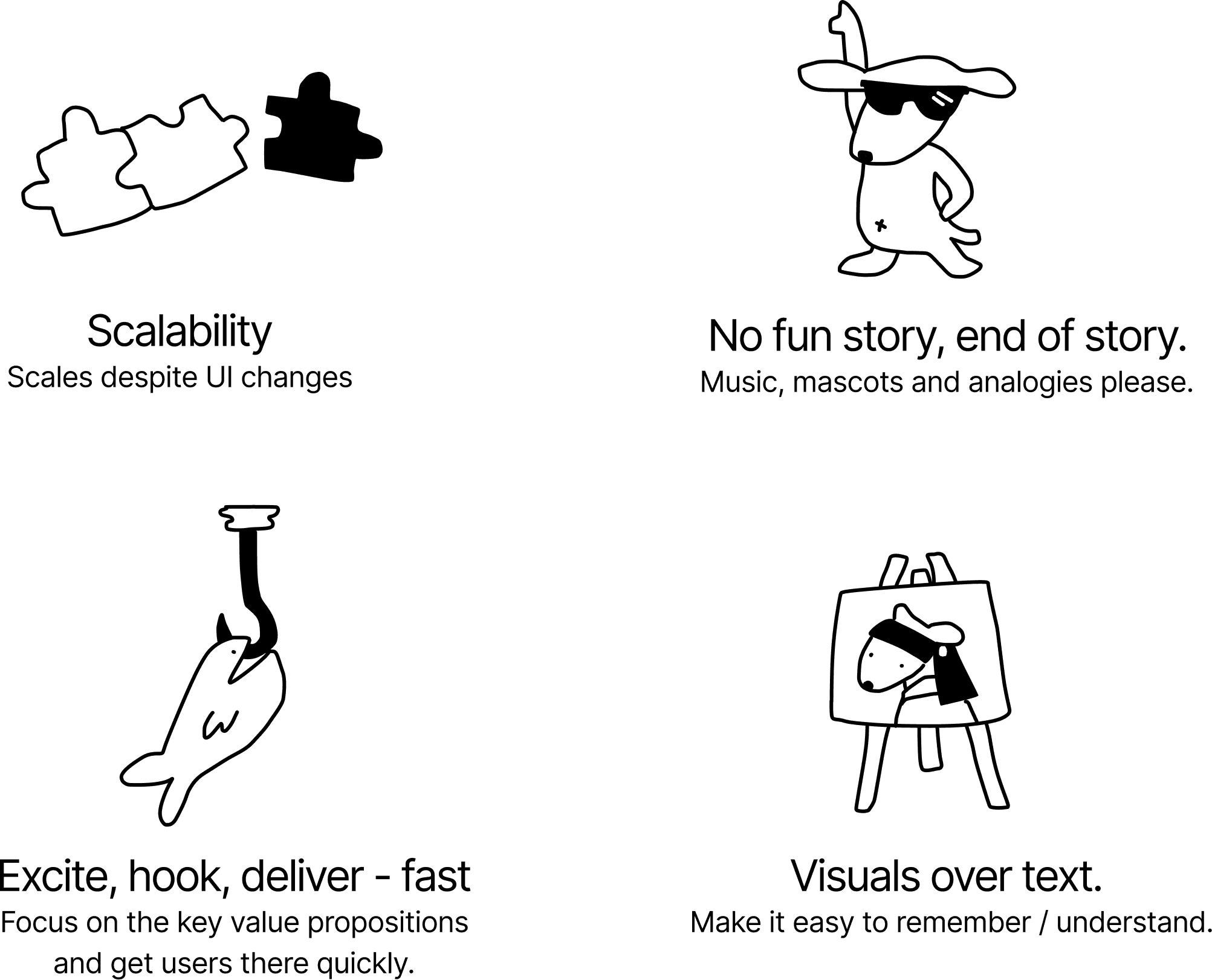
To help guide the designs, we put together the guiding principles.
Ideation
What would the ultimate onboarding experience look like?
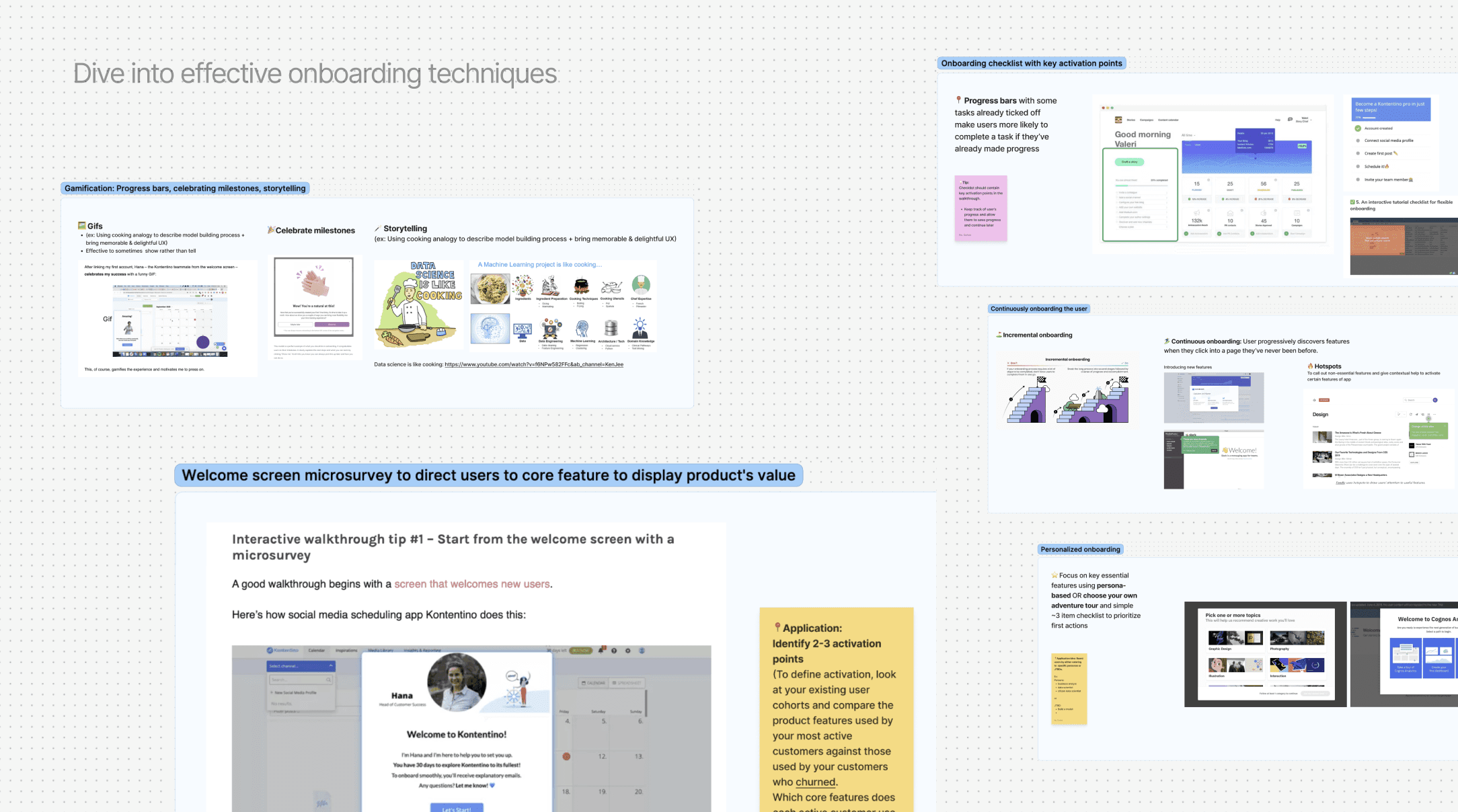
I first dove into early research about different kinds of effective onboarding techniques out there from initial activation to continuous onboarding, instead of inventing the wheel.
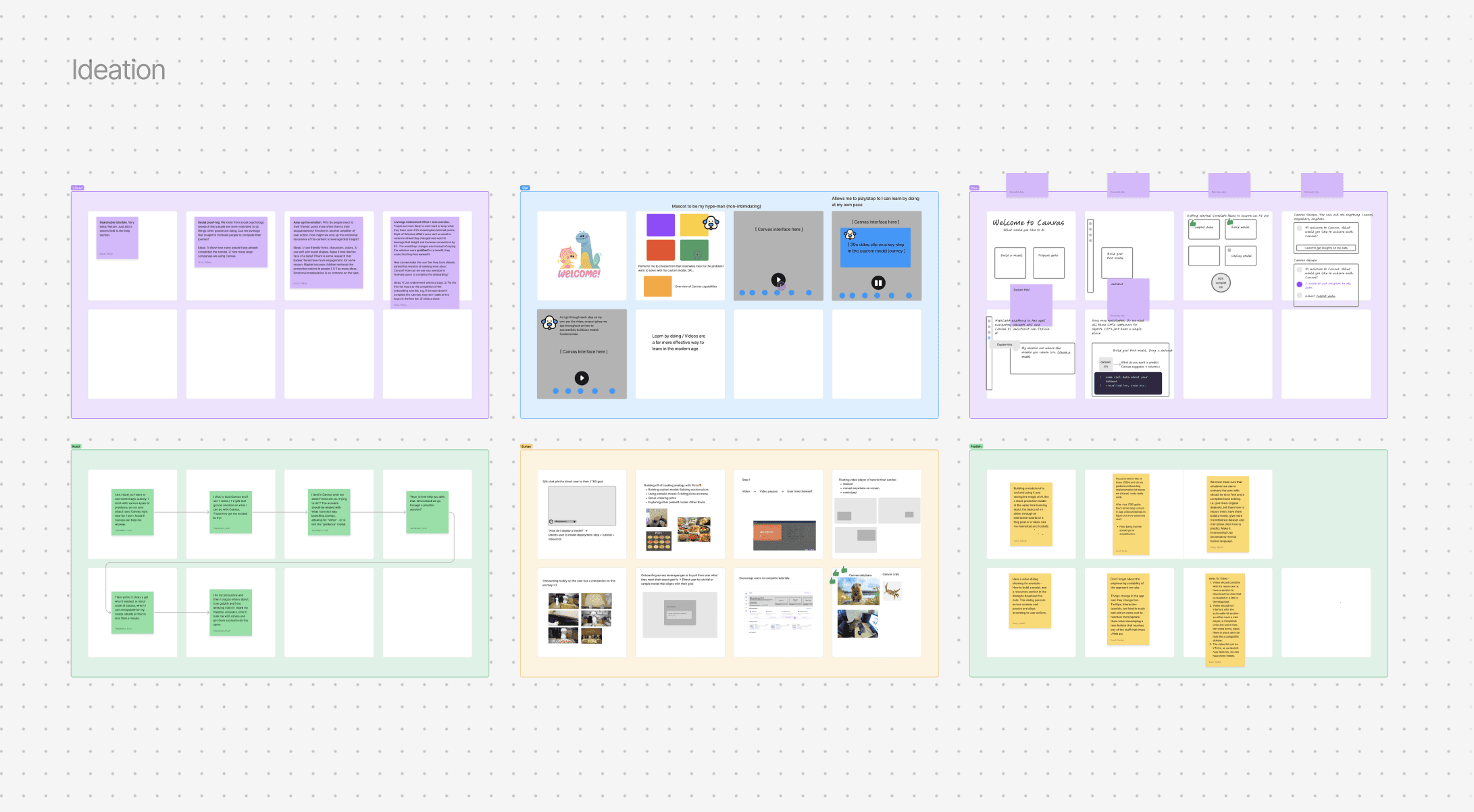
My design partner led a workshop, where we did an ideation exercise where we mapped out what would help new users easily know how to get started, stay engaged, thus maximizing their potential with the product.
Concept development
I worked closely with the product manager and landed on highlighted the product's key value proposition of its core features.
We wanted to give users guidance that is tailored to the core job to be done's so they would see value from the product's capabilities earlier in their experience.
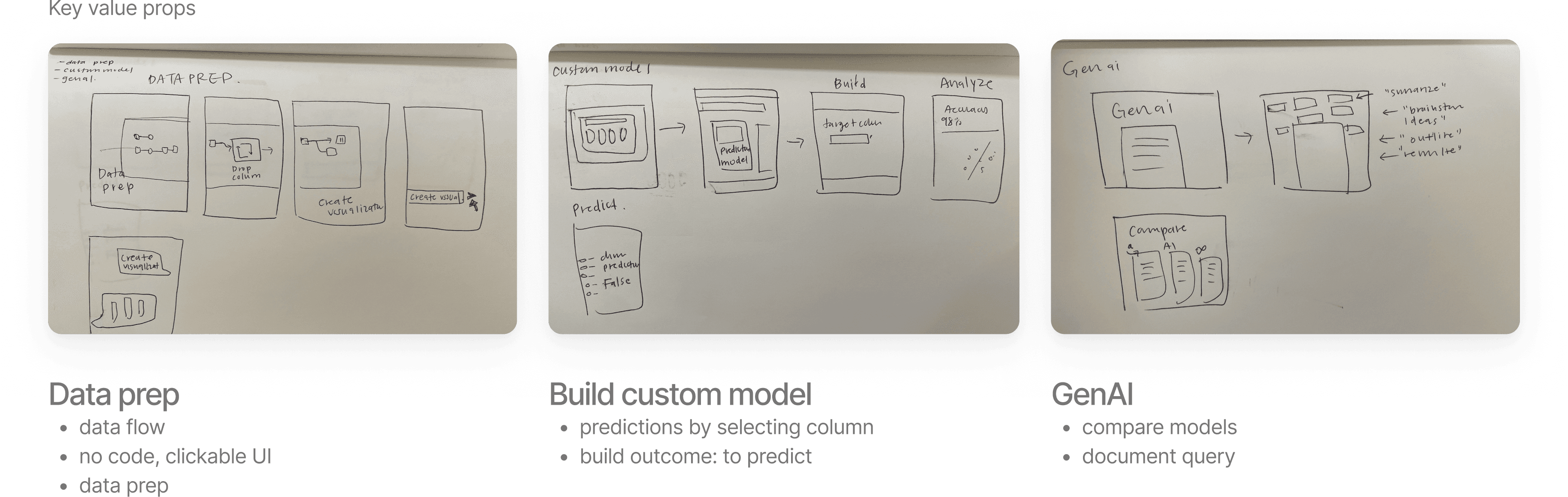
Design execution approach
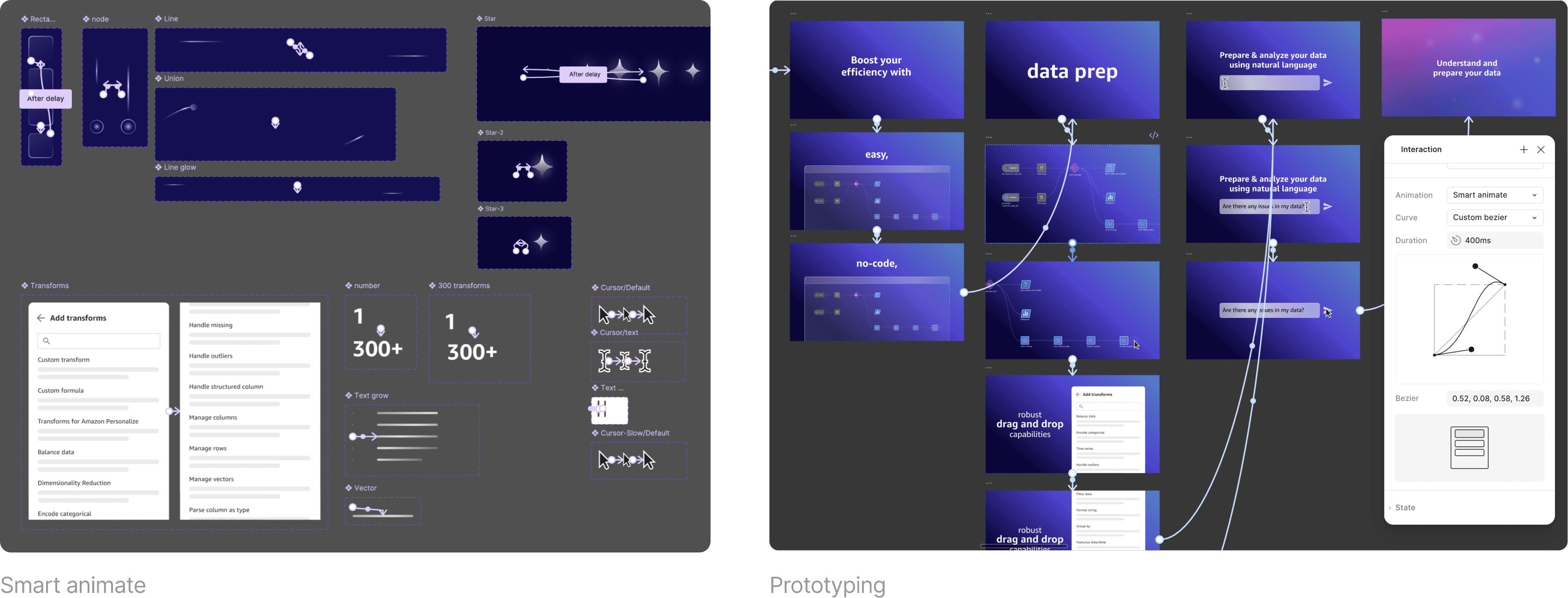
Designing a motion graphic video
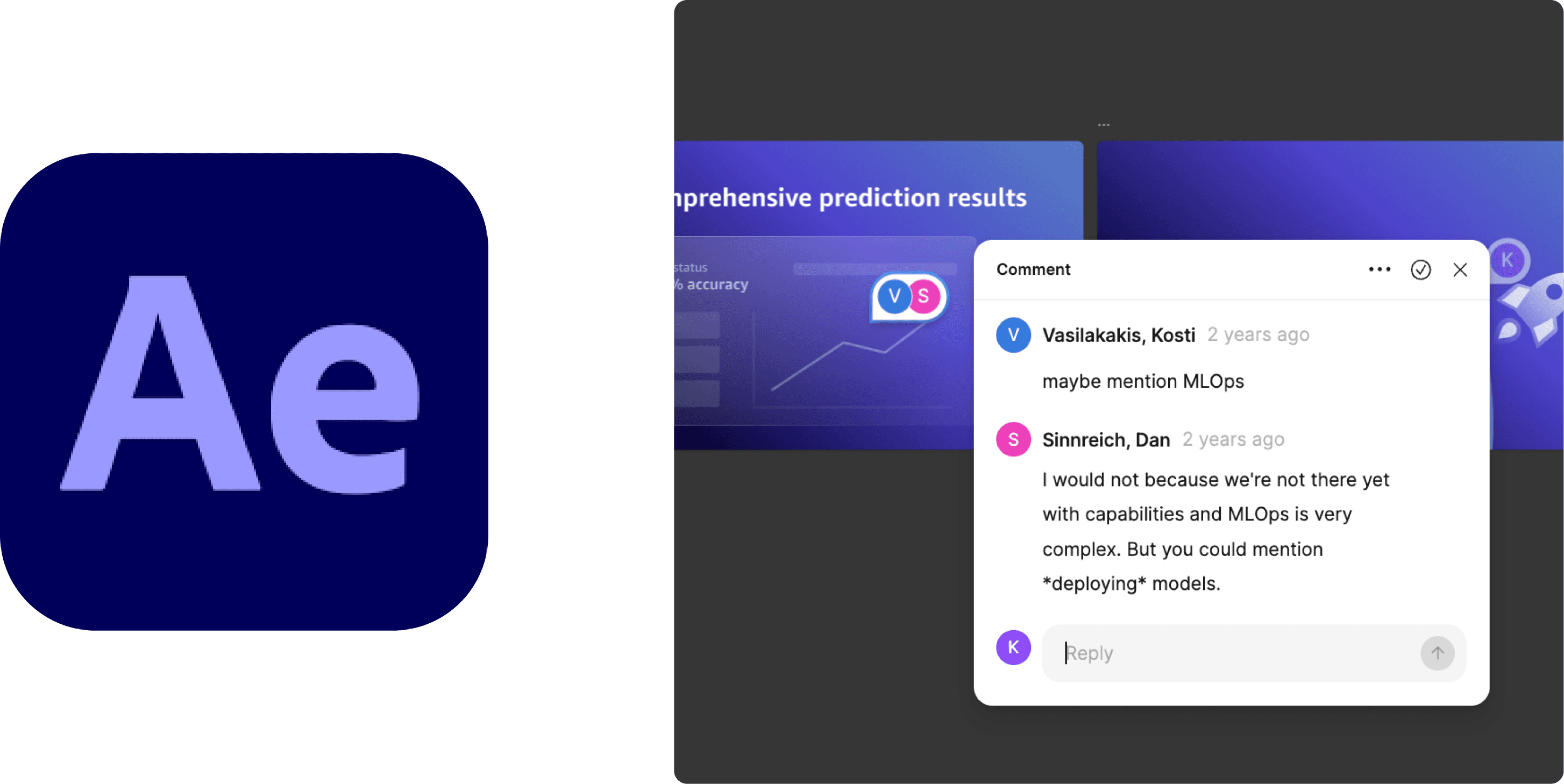
The traditional route of using a software like after effects or lottie animation seemed too restrictive for a process that was continuously iterative and required close collaboration across stakeholders in marketing, product, engineering, and copy writers. Figma's collaborative workspace seemed the most flexible as it allowed stakeholders to simply add a comment for feedback.
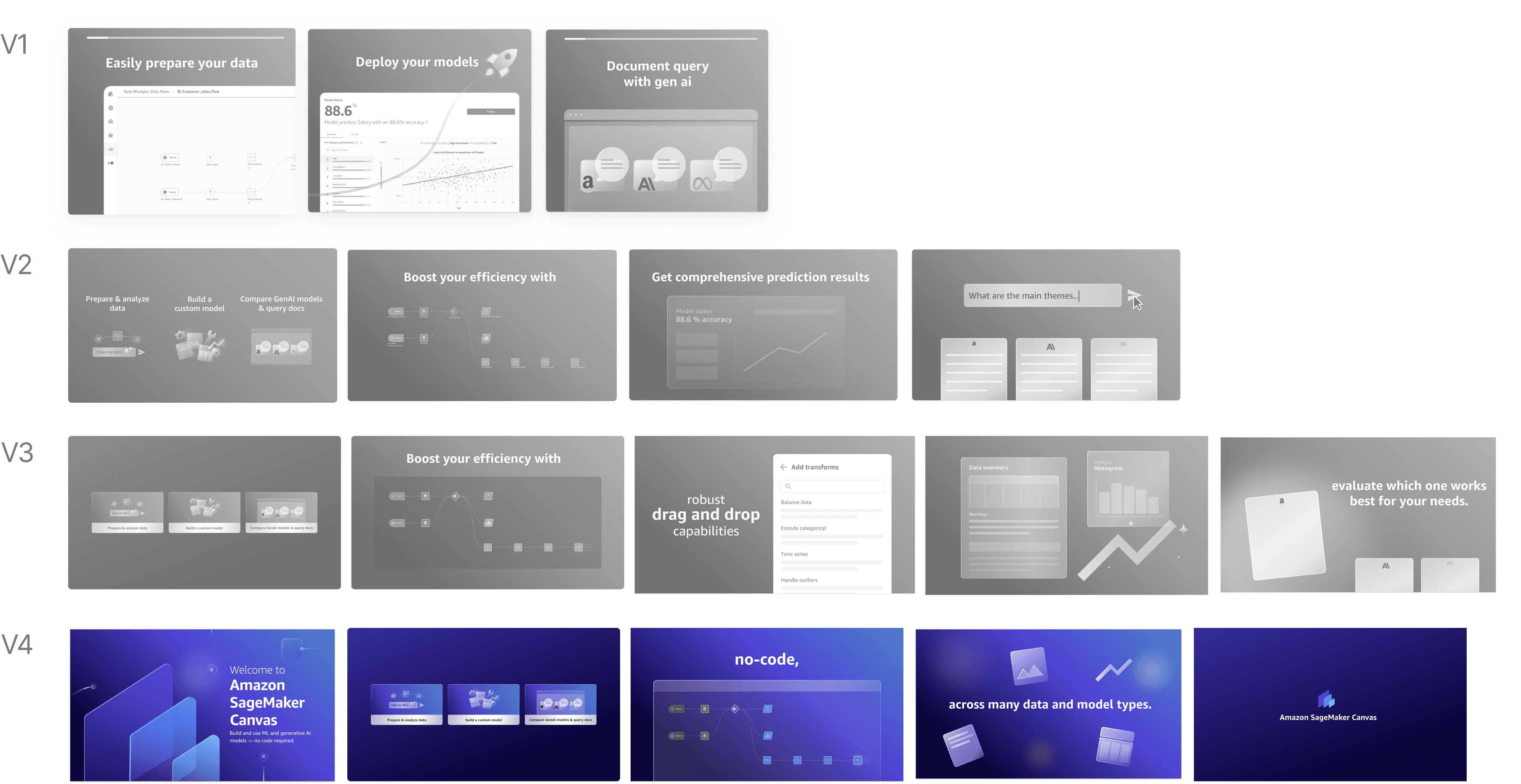
Design iteration
5 iterations, 3 weeks, review with 12 stakeholders
After review with 3 product managers, 3 engineers, 1 marketer, 3 sales representatives, 2 UX designers, I refined the designs so that the video was easy to digest, scalable, and aligned to Amazon's tone of voice.
Scaling designs further
I further developed the designs so the solution scales as the product evolves and fits in with other entry points.
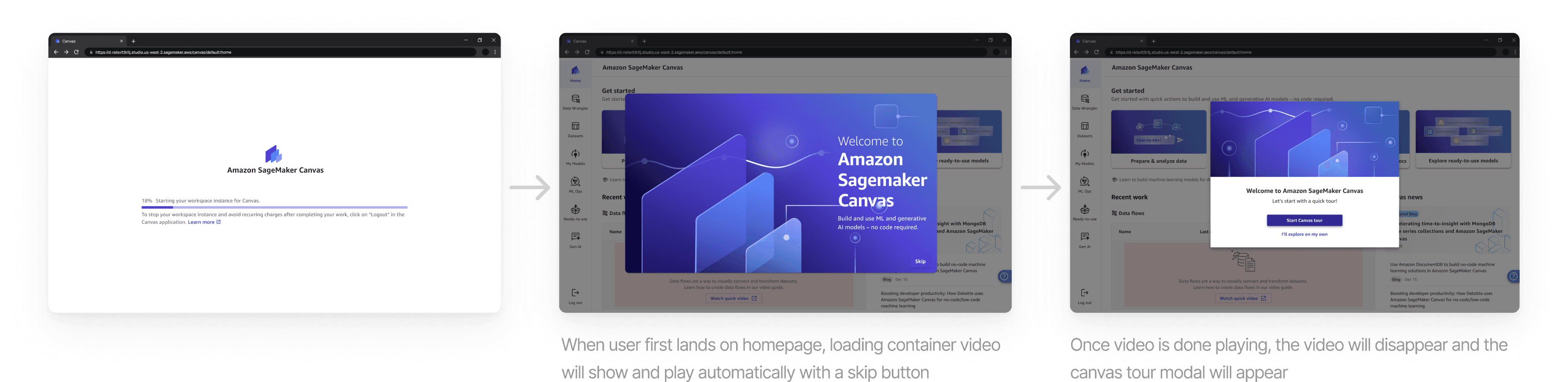
I ensured the solution scaled to when the app loading time became reduced <p90 for future latency improvements.
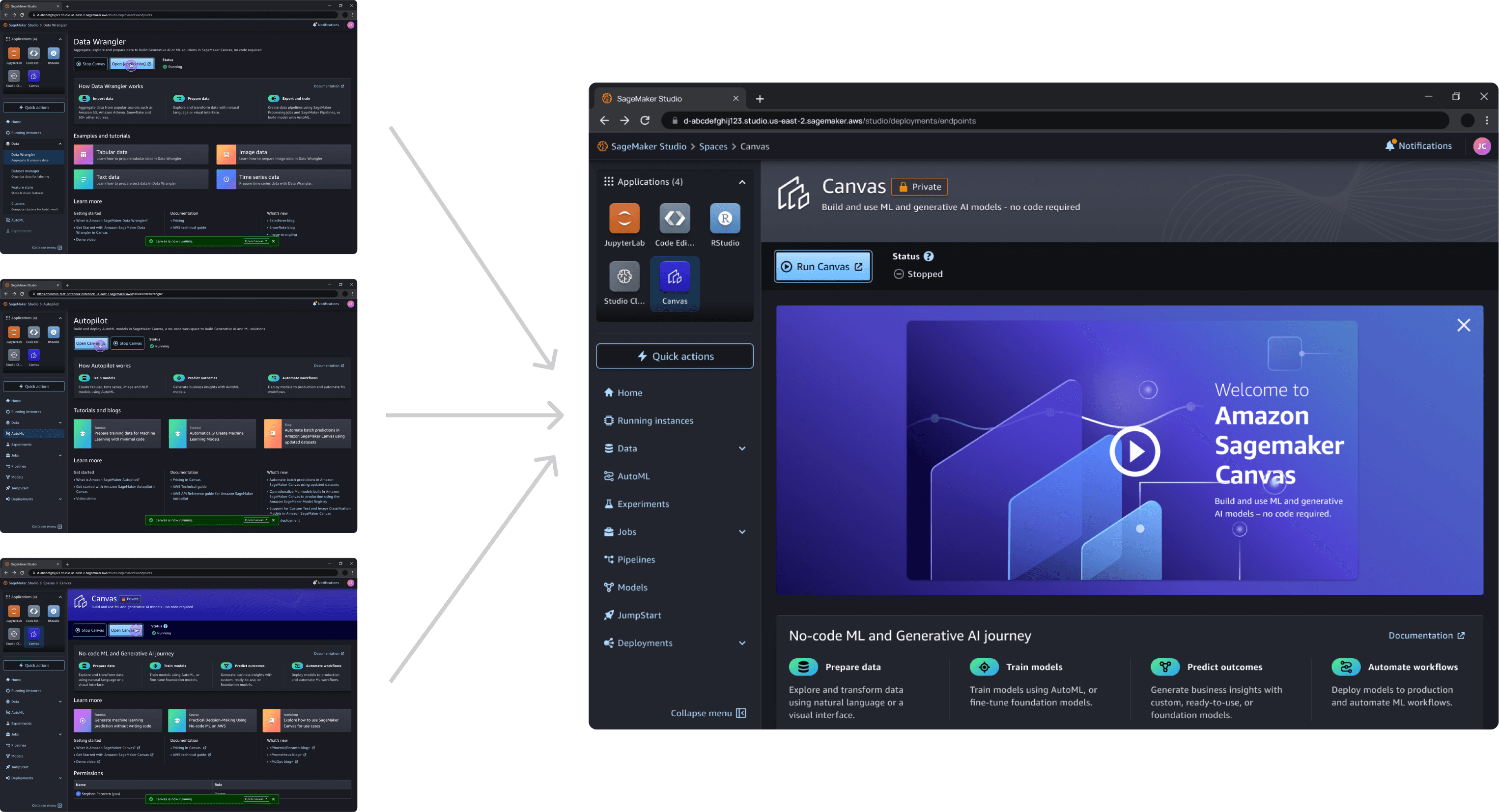
The video is added as an entry point for users coming in from other entry points. We found that 80% of users deep link into Canvas through another Amazon platform (Sagemaker Studio).
Visual identity
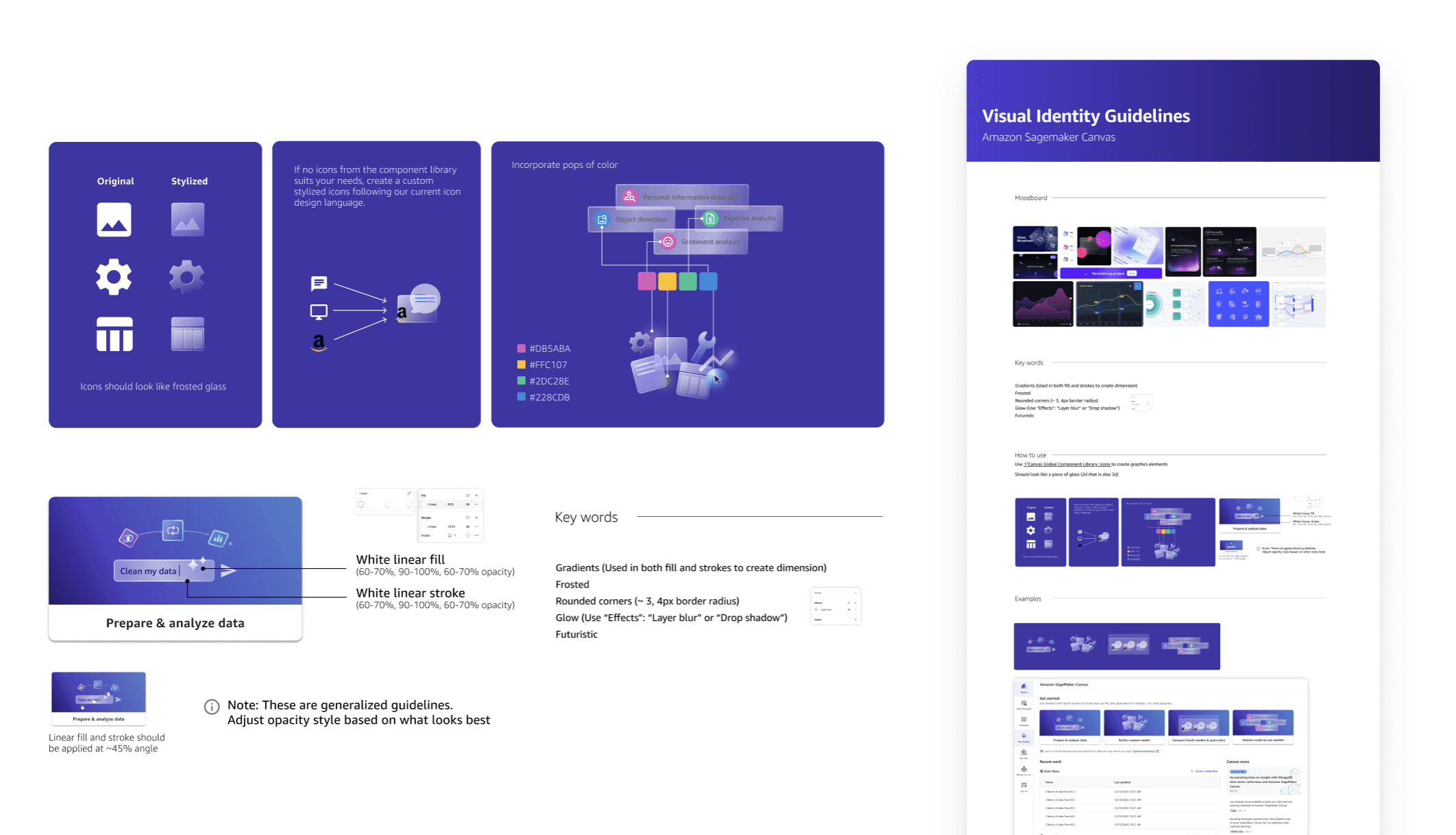
Defining the product's visual identity
At the time, Canvas lacked a cohesive visual identity for graphics and iconography. I established a visual design system that embodies a modern, ethereal, and futuristic aesthetic—capturing the essence of AI and cutting-edge technology.
Learnings
There’s no perfect process…only the courage to think big and the determination to make it come to life.
Wearing Multiple Hats (UX, Visual, & Motion Design) -> By contributing to the UX, visual, and motion design, I learned to think in a design system level to maintain a cohesive product vision.
Creating an on-brand experience-> My collaboration with the Marketing team taught me the importance of consistent brand voice and vision. I proactively aligned all design and content to ensure the final solution strongly reflected the product's official branding and messaging.
There's no perfect process -> Facing time and resource constraints, I learned that success relies on a designer's pragmatic judgment. It is essential to make informed trade-offs to prioritize user impact and drive the project forward.
© 2026 Eunae Ko ݁₊ ⊹ . ݁˖ . ݁· Reflecting my Creator